Easy website builder
Mobirise is an easy website builder for people who have never made a site. Pick ready blocks, type over the text, swap the photos and publish: Mobirise writes the code and fits every block to phones.
Free for personal and commercial sites.
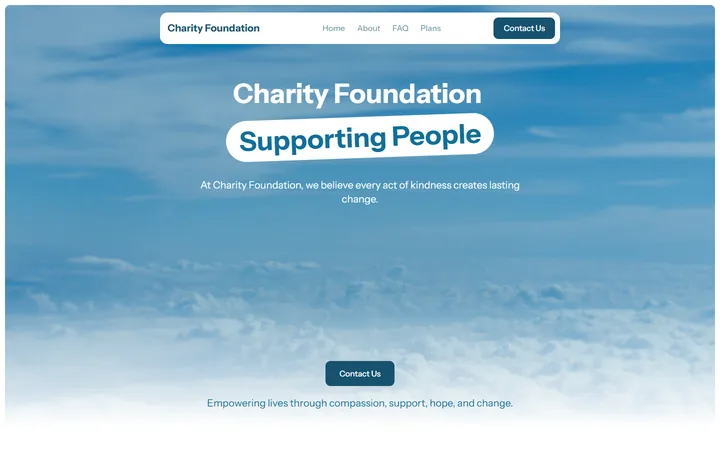
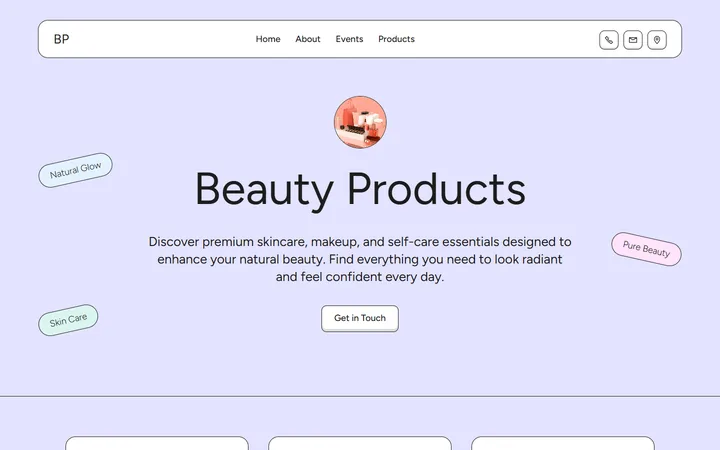
ready blocks in the free app
Pick a block, type over its text and publish. Every block already works on phones, so there is no mobile version to make.


 Used by 2,500,000+ people
Mobirise in six facts
The short version, before you try any easy website builder, free or paid. This site, mobirice.com, is run by the Mobirise team; written in October 2026.
The app is free, and so are three hosted sites; on those, Mobirise branding stays visible.
You click a text to change it and drag a block to add it. HTML is there only if you want it.
Blocks reflow for small screens on their own. Switch the preview to phone, tablet or desktop to check.
Describe the site in a sentence and pick one of four drafts. 3 generations a month are free.
Whatever the plan, the app hands you the site as ordinary web files: HTML pages with their styles, scripts and images.
A free mobirisesite.com address, hosting you already have, or your own domain.
Not the easiest choice for a large online store, a blog with hundreds of posts or an app with user accounts. Who should look elsewhere
Which easy website builder should you pick?
There is no single best easy website builder. Every simple website builder here is easy on the first day; they differ in what you pay later, who owns the files and how freely you can move things on the page. The easiest ones usually allow the least customization.
Squarespace
The pick testers name most often as the easiest overall: refined templates and a grid editor. No free plan, a 14-day trial.
Mobirise
Ready blocks you type over, a free app that also works offline, HTML export and three free hosted sites.
SITE123
Builds the structure for you from a short questionnaire and has a free plan, but leaves little freedom in the layout.
GoDaddy
A section-based editor and a free plan; quick to start, limited when you want the design to look different.
Wix
The most freedom of placement and a large app market. The number of options can feel like a lot at first.
Hostinger
The quickest AI-generated first draft; the lowest price comes with paying for several years up front.
Square Online
Often called the simplest of all, with a free plan, at the cost of fewer design options.
8B AI
You can generate a design and look at it without paying; going live costs $9 a month.
Carrd
One-page sites only, which keeps it very simple.
Webflow
Powerful, but not a beginner’s tool: it expects you to think in CSS.
We make Mobirise, so read this list with that in mind. The other picks follow what independent reviewers report; where a rival is the better choice for a need, we say so.
Easy website builders compared
Seven builders row by row. Where a rival does something better, the table says so. Prices move often, so confirm them on each site before you sign up.
| Feature | Mobirise | Wix | Squarespace | 8B AI | Hostinger | WordPress.com | Webflow |
|---|---|---|---|---|---|---|---|
| How you edit | Ready blocks; click a text to edit it | Drag any element anywhere | Sections on a snap grid | AI chat on the generated design | Drag-and-drop grid | Block editor | Visual designer built on CSS |
| Start with AI | Yes, 4 designs per prompt; 3 prompts a month free | Yes, a chat that builds the site, also on the free plan | Blueprint AI asks questions, then sets up the site | Yes, the whole site from a sentence, at no cost | Yes, but going live needs a paid plan | A few free prompts, then a paid plan | Yes, an AI draft you finish by hand |
| Publish without paying | Yes: 3 hosted sites, and any number uploaded from the app to your own host | Yes, Wix ads are shown | No, a trial for 14 days | No, going live needs Pro | No | Yes, ads are shown | Yes, a Webflow badge is shown |
| Your own domain from | $199 a year (BASE) if Mobirise hosts it; $0 on a host you already pay for | $17 a month (Light) | $19 a month (Basic, yearly billing); older reviews still list $16 | $9 a month (Pro) | $2.99 a month if you prepay 4 years; $10.99 on renewal | $4 a month (Personal) | $15 a month (Basic site plan) |
| Phone layout | Automatic | A separate mobile editor | Automatic, with mobile tweaks | Automatic | Automatic, plus mobile editing | Depends on the theme | Set by hand for each breakpoint |
| Works offline | Yes, the Windows, Mac and Linux app builds without a connection | No | No | No | No | No | No |
| Take the site with you | Yes, download the HTML free from the app | No | Some content, not the design | Yes, HTML download with Pro | No | Posts and pages as an XML file | Code download on paid plans |
Mobirise plans: free to start
Everything a first site needs is free. Paid plans renew yearly; the figures come from the Mobirise pricing page as of October 2026.
Free
$0
- Desktop app: Windows, Mac, Linux
- Basic theme with 200+ blocks
- Any number of sites on your own hosting
- 3 hosted sites on mobirisesite.com, HTTPS included
- AI: 3 generations each month
- Sites carry Mobirise branding
KIT
$149 a year
- Every premium theme and extension, 220+ in all
- Smart Cart for a small shop, plus the chat button
- As many desktop-app sites as you like
- Branding removed
BASE
$199 a year
- KIT, and also:
- 3 Mobirise-hosted sites on domains you own
- 100 AI generations monthly, with premium AI designs
- Download the code of sites built in the browser
If a paid plan turns out not to be right for you, the first order can be refunded within 14 days. Full details: Mobirise pricing page.
What makes Mobirise easy
Mobirise is a no-code website builder without a blank canvas: a page is a stack of finished blocks, and whatever you change, you change in place.
Blocks snap into place
Pull a block out of the side panel and drop it on the page. It lands between the others at full width, so there is nothing to align: an easy drag and drop website builder without the fiddly part.
Click and type
Headings, paragraphs and buttons are edited right on the page, in the font and size your visitors will see.
Settings instead of code
Each block has a small settings panel: show or hide the title, buttons or background, change colors, switch the number of columns.
Photos by click
Click a picture and choose a file from your computer. The block keeps its size and crop, so the layout does not break.
Phone version included
Blocks rearrange themselves for phones and tablets. Preview all three sizes before you publish.
Code is optional
Curious about the code? The Code Editor extension opens a block's HTML and CSS. It is optional and never required. For tools built around the markup, see WYSIWYG HTML editors.
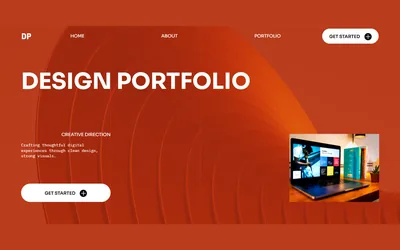
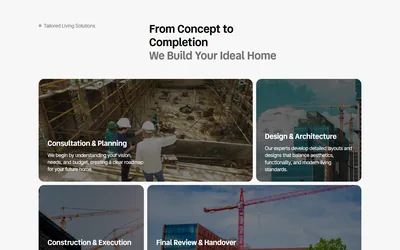
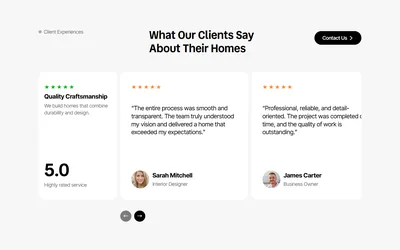
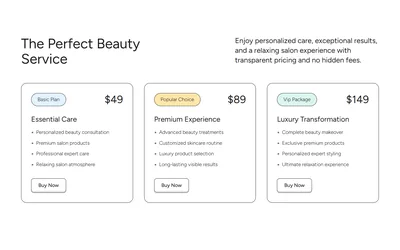
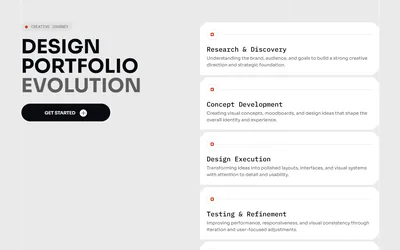
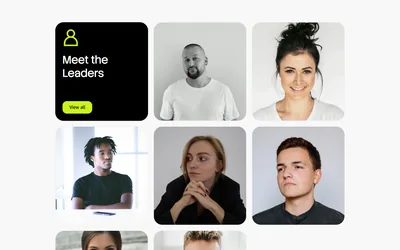
Some of the blocks you build with
From four Mobirise themes. The free app ships one basic theme of 200+ blocks; KIT unlocks 220+ premium themes. All are built on Bootstrap 5, as in any Bootstrap website builder.

How to make a website the easy way
Four steps, the same in the browser, in the Android app and in the desktop app. They work for a whole site or a single page, so Mobirise doubles as an easy webpage builder: a web page maker for one landing page or a résumé.
Start from a sentence or a theme
Tell Mobirise AI what the site is for and pick one of four designs, or open a theme, a set of ready page templates, and choose the one closest to your idea.
Make it yours
Type your own headings and text over the sample, replace the photos, delete the blocks you do not need and add the ones you do.
Check every screen
Switch the preview between desktop, tablet and phone. If a heading breaks badly on a phone, shorten it; the layout adjusts itself.
Publish
Send the site to a free mobirisesite.com address in one click, upload it to your own hosting by FTP, or save the files to a folder.
Who finds it easy, and who should look elsewhere
An easy website builder for small business sites, portfolios or events is easy only if the site fits the way it works. Here is where Mobirise fits and where it does not.
A good fit
- Sites for small businesses: cafés, salons, trades, clinics, studios
- A portfolio, a résumé or a personal page
- A landing page for a product, an event or a campaign
- Clubs, schools, churches and nonprofits
- A small shop with a handful of products, using the Smart Cart extension
- People who want their own files and their own choice of host
Look elsewhere if you need
- A store with hundreds of products, stock and shipping rules: a commerce platform such as Shopify
- A blog or magazine with many authors and categories: WordPress fits better
- Member logins, a database or a web app: that is a job for a developer
- To place every element by hand, pixel by pixel: Wix or Webflow
Eight tips for your first website
An easy to use website builder handles the layout. These habits make the difference between a site that looks homemade and one that looks professional.
Write the headline first
One sentence that says what you do and for whom. Every block below it should support that sentence.
Ask for one thing
Decide the one action you want from visitors, such as call, book or buy, and make that button the most visible one on the page.
Start with one page
About, services and contact can all be blocks on a single page. Add pages later, when a section grows too long.
Use your own photos
Real pictures of your work, your team or your place earn more trust than stock photos, even when they are less perfect.
Keep the theme's fonts and colors
Themes come with matched fonts and colors. The fewer of them you change, the more deliberate the design looks.
Put contact details in two places
Near the top for people in a hurry, and at the bottom for people who read everything first.
Read it on your phone
Most visitors will. Long headings and wide tables are the usual problems; shorten them rather than shrinking the text.
Fill in the page title and description
In the page settings, write the title and the short description that people will see in search results.
Where your site goes live
Mobirise is a website builder with hosting, but the hosting is optional: choose where the site lives, and change your mind later if you like.
A free Mobirise address
One click and the site is live at a mobirisesite.com address, secured with HTTPS. The free plan includes 3 such sites.
Your own domain
With BASE or GROW, connect a domain you own to sites hosted by Mobirise.
Your own hosting
The desktop app sends the site to your host over FTP, to GitHub Pages or into a local folder, on any plan including Free.
Questions beginners ask
What is the easiest website builder for beginners?
The one whose way of editing matches how you think. If you like picking finished sections and typing over them, Mobirise is an easy website builder for beginners, because there is no blank canvas and nothing to align. If you would rather drag elements anywhere, Wix is the usual choice, and for a single page Carrd is simple too.
Is Mobirise really free?
Yes. The app, its basic theme and 200+ blocks cost nothing, and you can publish as many sites as you want to your own hosting. Online, three hosted sites and three AI generations a month are free; those sites show Mobirise branding. Paid plans begin at $149 a year. Other programs that cost nothing are compared in free website building software.
Do I need to know HTML or design?
No. You edit text on the page, replace photos by clicking them and change blocks through their settings, while the theme takes care of fonts, spacing and colors. HTML is optional, through the Code Editor extension.
How much time does a first site take?
With an easy website maker like Mobirise, the building is the quick part: a few blocks and a few clicks. Most of the time goes into writing your text and choosing photos, so have them ready before you start.
Can I use my own domain?
Yes, in two ways. Sites hosted by Mobirise take a custom domain on the BASE and GROW plans. Or, at no cost, upload the site from the desktop app to any web host where your domain already points.
Can I make the site from my phone?
Yes: open the builder in your phone's browser, or install the Android app for Mobirise AI. There is no iPhone app; on iOS the browser does the job.
Does the desktop app need internet?
Not for building. It works without internet on Windows 7 and newer, on macOS from 10.13, and on Debian-based Linux such as Ubuntu. Only the AI and publishing go online. Mac owners will find more options in our guide to website builders for Mac.
Can I move my site somewhere else later?
Yes. The desktop app can save everything, pages, images and styles, as standard web files on any plan, and the browser builder does it on BASE and GROW. Any web host can serve those files.
Is it good for an online store?
For a small shop, yes: product blocks and the Smart Cart extension, included in KIT and the plans above it, add a shopping cart to the page. For hundreds of products with stock and shipping rules, a dedicated platform such as Shopify fits better.
Will my site show up on Google?
Mobirise sites are plain HTML that search engines read easily, and every page has settings for its title and description. Being found still depends on your text, so say clearly what you offer and where.
Are the browser version and the app different products?
No, it is one Mobirise with the same blocks and the same features. The desktop app also works offline and exports code on every plan; the browser version needs nothing installed and runs on any device.
Can I start with AI and then edit by hand?
Yes. Mobirise AI returns four designs from a short description, a sketch or a screenshot. Pick one, then keep shaping it: ask the AI for changes in plain words, or open any block and change it yourself. Other tools that build from a prompt are compared in AI website creators.
Can I build the site without AI?
Yes. AI is one way to start, not a requirement. Open a theme, add blocks and edit them by hand; in the desktop app all of this works offline, with no AI involved, much like other offline web design software.
Make your first page today
Start with AI in the browser or download the free app. It is the same Mobirise either way.